

Productivity often depends on the tools at your disposal, and your smartphone is one of the most versatile devices you carry every day. Instead of relying on multiple gadgets, you can manage emails, store important data, organize tasks, and even create content all in one place. Modern smartphones are designed with powerful features, long-lasting batteries, and durable builds that keep up with your busy lifestyle. With the right approach, your smartphone can become a mobile office that adapts to different environments. This article explores practical ways to transform your phone into a productivity powerhouse wherever you go.
Why Use Your Smartphone for Productivity?
Carrying a laptop everywhere isn’t always practical, but your smartphone is always within reach. It acts as an all-in-one tool for communication, organization, and creativity in a compact, lightweight form. Bright displays make it easy to read or edit content in any environment, while portability ensures you can work comfortably for extended periods. Built-in security and durable designs provide confidence to stay productive even in demanding situations. Whether you’re responding to messages, editing documents, or capturing ideas on the move, your phone adapts to your needs. This reliability makes it a true companion for staying productive anytime and anywhere.
Benefits of Mobile Productivity Apps
Mobile applications are the foundation of smartphone productivity, helping you streamline work and personal responsibilities. From project management tools to advanced note-taking apps, they provide easy access to essential functions. AI-powered features enhance tasks like editing, scheduling, and organizing, making work more efficient. Long-lasting batteries ensure that these apps remain functional throughout busy days, while fast-charging options keep downtime minimal. Some smartphones even allow reverse charging, letting you support colleagues by powering up their devices. With productivity apps turning your phone into a calendar, creative studio, and communication hub, your smartphone becomes an essential tool for maximizing efficiency.
Practical Tips to Work Smarter on Your Smartphone
Automate Routine Tasks with Shortcuts
Time is a valuable resource, and automating repetitive tasks helps you reclaim it. Modern smartphones allow you to create shortcuts for launching apps, setting reminders, or even drafting messages with just a tap or swipe. AI-powered tools now go further, suggesting contextual shortcuts that integrate across multiple apps, making task-switching seamless. Some devices also feature built-in writing assistance, helping you draft content quickly while on the move. Automating simple but frequent activities reduces mental load and allows you to concentrate on high-priority work. Over time, the minutes saved through automation add up to significant productivity gains each week.
Use Cloud Storage for Quick Access
Cloud storage ensures that your files are always accessible, regardless of location or device. Whether you’re working on reports, accessing images, or reviewing presentations, smartphones make it simple to edit documents directly on high-resolution displays. Fast and reliable connectivity keeps collaboration smooth, while durable designs provide confidence for use in outdoor or on-the-go situations. With large-capacity batteries, you can access your files even during long stretches without charging. Cloud storage also safeguards your data, minimizing the risk of losing important work. By integrating cloud-based solutions, your smartphone becomes a secure, portable, and highly efficient mobile workspace.
Leverage Voice Assistants for Efficiency
Voice assistants offer an effortless way to multitask, letting you send messages, create reminders, or find information without lifting a finger. They make organizing schedules easier, help you take hands-free notes during meetings, and provide instant answers to queries. Some systems even integrate with your camera or screen, allowing real-time sharing, analysis, or organization of information. Combined with AI-powered tools, these assistants can categorize content, set follow-up tasks, or optimize workflow instantly. This hands-free convenience frees you from distractions while ensuring that critical tasks are completed quickly. Voice assistants transform your phone into a smarter, more responsive productivity partner.
Balancing Convenience with Distractions
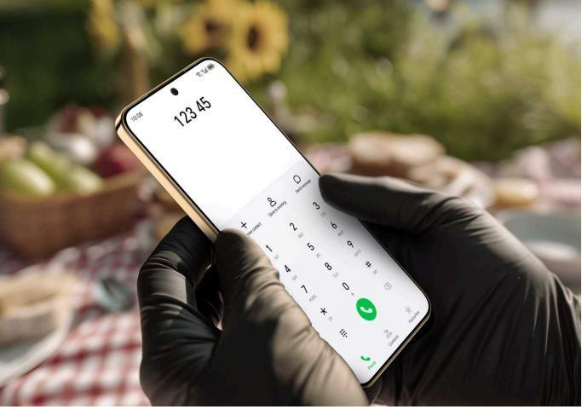
While smartphones offer unmatched convenience, they can also become sources of distraction with endless scrolling, notifications, and apps competing for your attention. The key to making them productivity tools lies in discipline and conscious use. Features like focus modes or notification filters allow you to prioritize essential updates while reducing interruptions. Many devices also include accessibility options such as glove-friendly touch or weather-resistant designs, helping you stay focused in different environments. AI-powered shortcuts and smart suggestions further streamline usage. With the right balance of freedom and self-control, your smartphone can remain a trusted productivity partner rather than a time sink.
Conclusion
Your smartphone is far more than a communication device—it’s a dynamic tool that can redefine the way you work. By combining the right apps, thoughtful usage habits, and features like automation, cloud storage, and voice assistants, you can streamline tasks and work more efficiently. Today’s smartphones are designed for durability, reliability, and performance, making them ideal for busy professionals and everyday users alike. With long-lasting batteries, strong connectivity, and intelligent features, they keep productivity running smoothly in any setting. For example, exploring options such as the HONOR X9d 5g price shows how advanced features can remain accessible. By following these strategies, your smartphone can evolve into your most valuable asset for achieving greater efficiency and balance.
